Learning center
Set up · step 2 of 14 · 5 min
Bring in your clients
From your phone, a spreadsheet, Fresha, Booksy or Vagaro. Drop the file in, done.
- 1Get the file out
One export from your old platform, your phone contacts or your spreadsheet. The import screen has the steps for Fresha, Booksy, Vagaro, Square, Google and more.
- 2Drop it into Import
CSV, Excel, a text file, a .vcf from your phone — or paste the list. We read the columns and you can correct any of them.
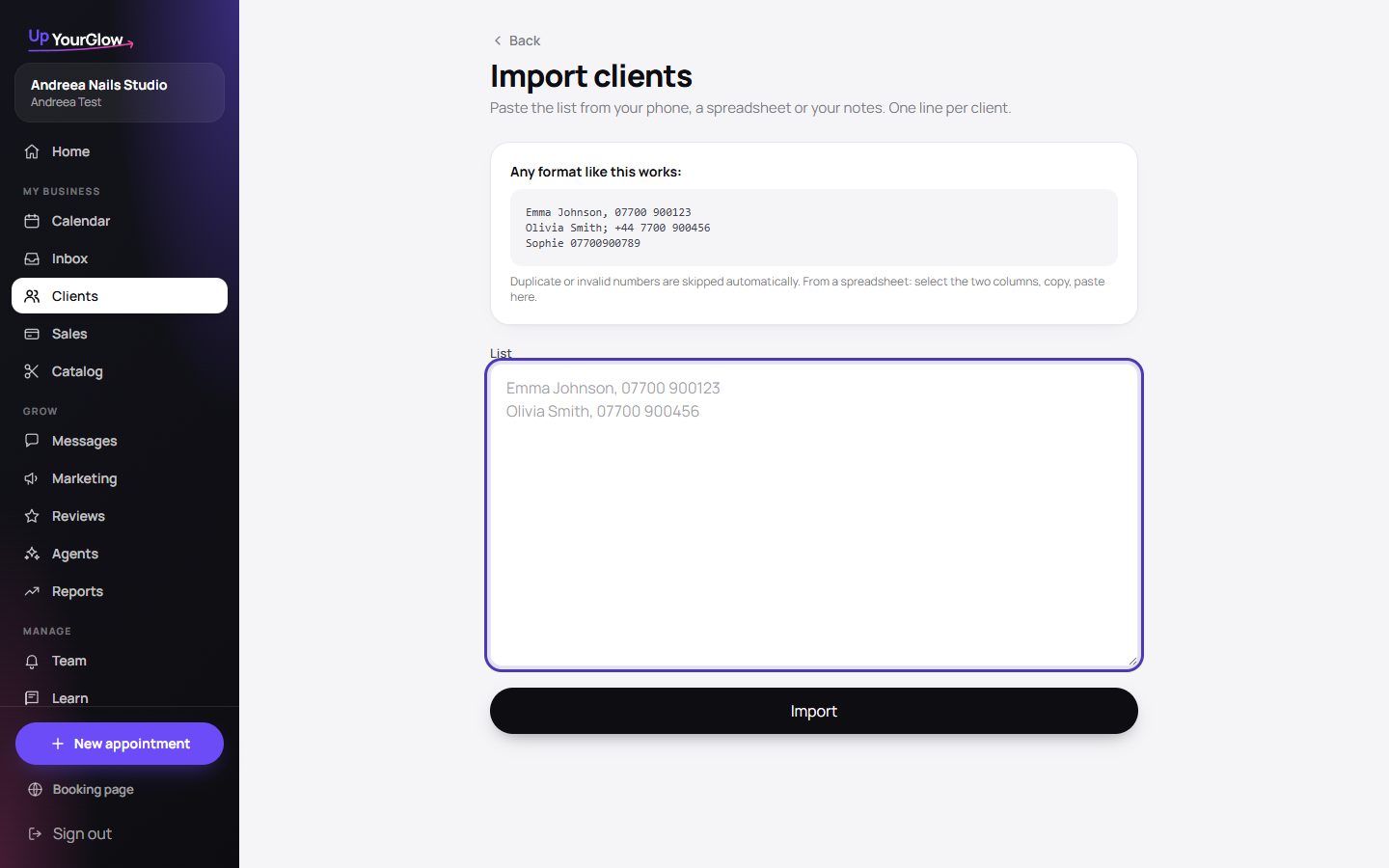 Import clients · where to click is highlighted in violet
- 3Check, then import
Every row on screen first: ready, already yours, or needs a look. Fix a number, skip a row, import — and undo it all if you change your mind.
- 4Add the rest as you go
New clients who book online are created automatically. Walk-ins you add in ten seconds from Clients → New.
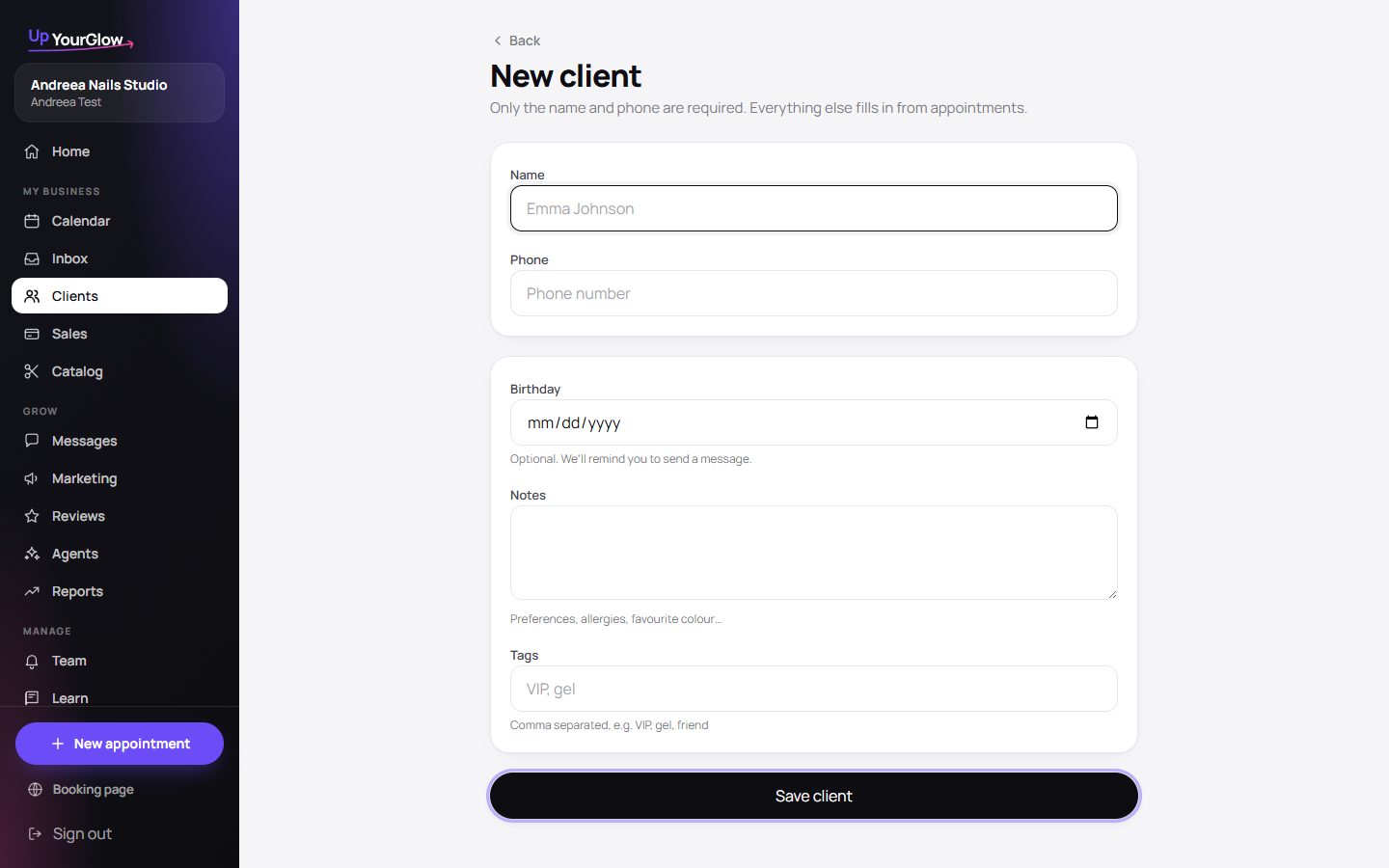 Add a client · where to click is highlighted in violet
Stop running your business from your messages.
Organised in 2 minutes. More clients in your first week. Everything free for 7 days, no card.